Reimburse your team for
every UPI spend.
Your team pays from their own UPI and snaps the bill. You tap approve — reimbursed in seconds, with the GST captured. We never hold your money.
No card required · No payout account to set up.
Works with the UPI apps your team already pays from
Funds-neutral
We never hold your money
GST-ready
Input credit on every bill
Operator-blind
Your data stays yours
Audit-ready
Every rupee, logged
Right now, field spend lives in WhatsApp screenshots and a month-end spreadsheet — petty cash leaks, and the GST credit slips away.
Who it's for
If your team spends in the field, it’s built for you
Construction, logistics, retail, sales — wherever staff pay vendors on UPI.

Construction site · paying on UPI
Photo to add
Construction & contracting
Supervisors buy material on UPI across sites — tagged to each project, supplier GST captured.

Driver · paying for fuel on UPI
Photo to add
Logistics & fleets
Drivers pay fuel, tolls and repairs on the road — captured on the spot, fuel GST recovered.

Store manager · paying a supplier
Photo to add
Multi-outlet retail & F&B
Store managers pay local vendors — spend tracked per outlet, every bill on file.

Field rep / buyer · on the move
Photo to add
Field sales & procurement
Reps and buyers spend on the move — snap, submit, reimbursed, no forms.

Frontline worker · paid for supplies on UPI
Photo to add
Blue-collar & frontline teams
They pay for office and work supplies out of their own pocket — and most never get it back. With OpsPay they just snap the bill, and it’s reimbursed in days. No forms, no being out of pocket.
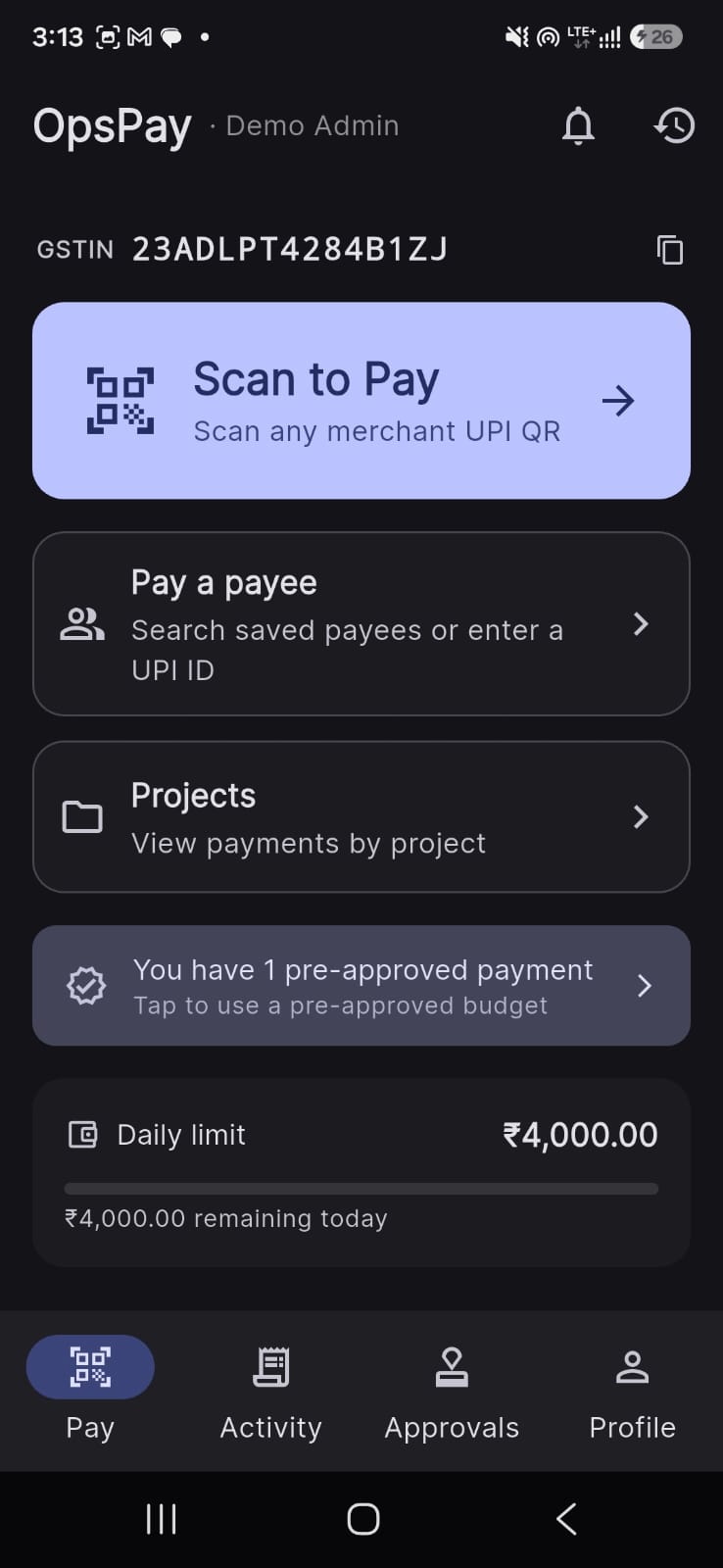
01 · Capture
Snap it. It’s captured.
- Pay from any UPI app, or just share the receipt.
- Merchant, category, project & location recorded for you.
02 · GST credit
Stop losing GST input credit
- Attach the GST invoice — OpsPay reads it.
- Recoverable input tax credit in one register — export for your return.

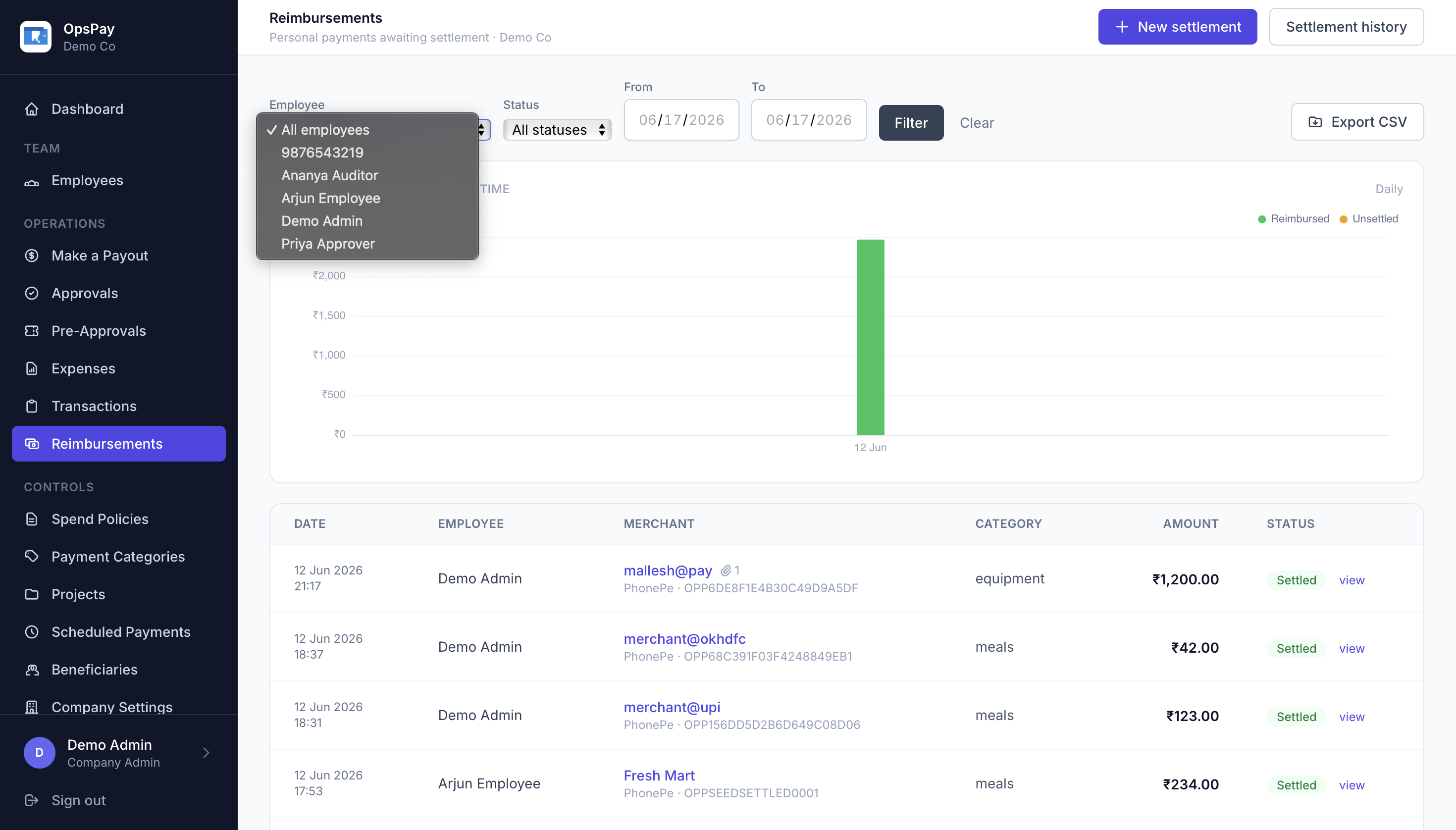
03 · Reimburse
Approve in one tap
- Review each claim in a two-way thread.
- Approve to reimburse in one step — no spreadsheet, no chasing.
We never touch your money
Staff pay; you reimburse directly. Funds-neutral.
Operator-blind
Per-tenant encryption — even we can’t read your data.
Immutable audit
Every decision logged, enforced by the database.
Pricing
One simple plan
A flat platform fee plus a small fee per active user. Drag to estimate.
OpsPay
All features included
Choose OpsPay
- Personal UPI spend capture — deep link, shared receipt or manual
- GST invoice & input-tax-credit (ITC) register
- Reimbursement review, approval & resubmit
- Categories, projects & cost attribution
- Real-time dashboards, analytics & CSV exports
- Mobile app + admin portal
Everything included · 30-day free trial, no card required.
Questions, answered
How do employees submit a reimbursement?
They pay the vendor from their own UPI app — PhonePe, Google Pay or Paytm — and capture or share the receipt into OpsPay. The merchant, amount, category, GST invoice and GPS location are recorded automatically; there is no expense form.
How does a manager approve a reimbursement?
Each claim opens a two-way comment thread. The manager reviews the bill and GST, discusses if needed, then approves — reimbursing in one step — or rejects with a reason. A rejected claim can be revised and resubmitted.
Does OpsPay hold or move my money?
No. The employee pays from their own UPI and you reimburse them directly — money never passes through OpsPay. We orchestrate the spend, its capture and the approval; we are never in the flow of funds.
Can I capture GST and claim input credit?
Yes. Attach the supplier's GST tax invoice to any payment — GSTIN, taxable value, CGST/SGST/IGST and HSN/SAC are read into an input-tax-credit register you can filter and export for your return.
How is pricing calculated?
One simple plan: a flat monthly platform fee of ₹1,400 plus ₹80 per active user. Annual billing is two months free. Use the calculator on this page to estimate your monthly cost.